
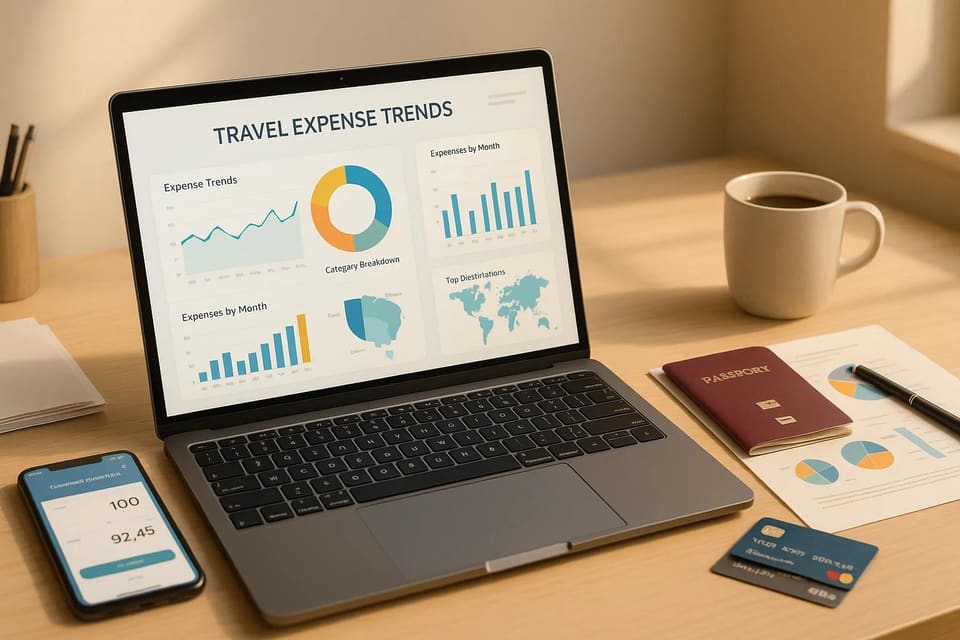
The best software for tracking travel spend depends on who is spending: TravelSpend for your own trip, Splitwise or Tricount for a group, Expensify or Zoho Expense for a small team, and Navan or SAP Concur when a company wants travel, expenses and invoices in one place. Prices below are what each site listed on November 5, 2026.
This page is for anyone who wants to see where travel money goes, on one trip or across a company. It isn't for choosing where to stay or what to see, which is what Highlights does, and it can't rank tools by ROI, because the only ROI figures we found are published by the vendors themselves.
It comes down to two different jobs. On a personal trip you want to know what you've spent so far, in your own currency, by day and category, and who owes whom. For work travel, a company wants receipts captured without typing and spending reported across every trip. AI helps most with the capture: reading a receipt photo, sorting it into a category, converting the currency. The better tools then chart the trend, so you can see where the money goes.
These are ten tools, each checked on its own site on November 5, 2026. Highlights, our app, plans trips and doesn't track spending, so it isn't on the list. We also dropped three tools from the old version of this page that don't track expenses at all.
Travel expense trackers at a glance
| Tool | For | What it shows you | Free | Paid |
|---|---|---|---|---|
| TravelSpend | A personal trip | Spending by day, category and country, in your home currency | Free app | TravelSpend Premium |
| Splitwise | A group splitting costs | Who owes whom; Pro adds spending charts and trends | Free, with a daily expense limit | Splitwise Pro |
| Tricount | A group splitting costs | Who owes whom, with currency conversion | Free, no ads, no daily cap | None needed |
| Wanderlog | A budget inside the trip plan | Budget, split costs, foreign spending in home currency | Free | Wanderlog Pro |
| Expensify | Freelancers and small teams | Receipts, mileage and reports | Free plan with unlimited SmartScans | Collect, $5 per member a month |
| Zoho Expense | Small businesses | Receipts, mileage, per diem; an AI insights dashboard on Standard | Free for up to 3 users | Standard from $3 per user a month |
| Navan | Companies that book travel | Spend as it happens, by budget and department | Expenses free for the first 5 users | $15 per user a month after that |
| SAP Concur | Large companies | Expense reports with policy checks | No | Quote |
| Expensya | Companies in several countries | Receipts, budgets and spend analytics | No | Quote |
| Google Flights | Prices before you book | Price changes on routes you track | Free | None |
For a personal trip
1. TravelSpend: a travel budget manager in your own currency
TravelSpend is built for one job: tracking a trip. Add each expense in whatever currency you paid, and it shows the total in your home currency, how much budget is left and your daily average, with charts by day, category and country. It works offline, imports Apple Pay payments, and lets travel companions add what they paid so it can show who owes whom. It's free on iOS and Android, with extra features in TravelSpend Premium.
Best for a long trip through several countries where you want to see the trend, not just the total. It isn't built for teams or reimbursements.
2. Splitwise: who owes whom, with charts on Pro
Splitwise keeps a running balance for a group: add who paid, and it works out who owes whom. Free accounts have a daily limit on how many expenses you can add. Splitwise Pro removes it and adds receipt scanning, itemizing a receipt to assign items to friends, currency conversion at current rates, charts of spending by category and over time, and expense search.
3. Tricount: free group splitting with no cap
Tricount does the same job as Splitwise for trips, dinners and shared homes, and says it's free, with no ads and no daily expense cap. Currency conversion is included. It's on iOS and Android, and you can try it without signing up.
4. Wanderlog: the budget inside your itinerary
If you plan in Wanderlog, its free budget tool sits next to the itinerary. Add a cost in the currency you spent and see the total in your home currency, and split costs between tripmates to see who owes whom. It won't scan receipts, but it keeps the plan and the spending in one place.
For work travel
5. Expensify: free receipt scanning
Expensify's SmartScan reads a receipt photo and turns it into an expense. Scanning receipts, sending and receiving money and chatting on expenses are free for everyone, and the free plan covers mileage tracking and expense reports. The Collect plan, $5 per member a month, adds reimbursements, corporate cards, travel booking and approvals. Control, priced on request from $9 per active member, adds custom insights and reporting and budgeting.
6. Zoho Expense: a free plan for three people
Zoho Expense is free for up to 3 users, with 20 receipt autoscans per user a month and mileage by GPS. Standard costs $3 per user a month billed yearly ($4 monthly) and adds an AI insights dashboard; Premium, $5 a user billed yearly ($6 monthly), adds live budget tracking, self-booked travel and per diem rules.
7. Navan: travel and expenses together
Navan books business travel and tracks the spending in the same system. It categorizes transactions automatically by merchant and employee role, matches card payments to travel details and invoices, flags out-of-policy spending, and tracks spend against budgets as it happens, by department, office or event. Expenses are free for the first 5 users a month, then $15 per user a month; travel booking has no fee for companies of up to 300 employees.
8. SAP Concur: receipts read by ExpenseIt
SAP Concur is the large-company option. ExpenseIt, its receipt tool, turns photos into expense entries, categorizes and itemizes them, matches them with card charges and queues photos offline. Pricing is by quote.
9. Expensya: multi-country expense reports
Expensya, now part of Medius, captures receipts in a mobile app, even offline, and categorizes and converts them automatically. It adds policy rules, budgets, multi-currency and multi-country support, and analytics on spending. Pricing is by quote.
Travel spend analytics for a company
For a company, the tool that shows the most is the one that sees the whole trip: the booking, the card charges and the invoice. Navan and SAP Concur cover all three in one system; Expensify, Zoho Expense and Expensya start from receipts and add reports. This is which tool covers which job, from each one's own site (SAP Concur's product list checked on November 8, 2026).
| What you need | Tools that do it |
|---|---|
| Travel booking, expenses and invoices in one system | Navan, which matches card payments to travel details and invoices; SAP Concur, with Concur Travel, Concur Expense and Concur Invoice |
| Spending as it happens, against a budget | Navan, by department, office or event; Zoho Expense Premium, with live budget tracking; SAP Concur Analytics, a near-real-time view of company spending |
| Dashboards and reports | Zoho Expense Standard's AI insights dashboard; Expensify Control's custom insights and reporting; SAP Concur Intelligence; Expensya's spending analytics |
| Out-of-policy spending and audits | Navan flags out-of-policy spending; SAP Concur Detect uses AI to review expense reports, and Intelligent Audit adds human auditors; Expensya applies policy rules |
| Sending the data to accounting | SAP Concur posts expense and invoice data to QuickBooks, Xero and NetSuite |
| Spotting where to save | TravelSpend's charts by day and category for one trip; Splitwise Pro's charts over time; Google Flights price alerts before you book; Navan's out-of-policy flags for a company |
Which software puts travel, expense and invoice data in one place?
Navan and SAP Concur. Navan books business travel, tracks the spending in the same system and matches card payments to travel details and invoices. SAP Concur sells it as connected products: Concur Travel for booking, Concur Expense, and Concur Invoice for supplier bills, with a consolidated, near-real-time view of spending in Concur Analytics. Which is more reliable for you depends on your cards, your accounting system and your travel policy, so try each with a month of your own data.
What is the best software for understanding travel spend ROI?
Travel ROI needs two numbers: what a trip cost and what it brought in. These tools give you the first, cut the way you need it: Navan tracks spend by department, office or event, SAP Concur Intelligence builds custom reports and dashboards, and Expensify's Control plan adds custom insights and reporting. The second number, such as deals closed or leads from a conference, usually lives in your sales or finance system, so tag each trip with its purpose and compare the two.
Which tools read receipts, so nobody types expenses by hand?
Expensify's SmartScan, ExpenseIt in SAP Concur and Expensya all turn a receipt photo into an expense entry, and Zoho Expense's free plan includes 20 receipt autoscans per user a month. Splitwise Pro scans receipts too, for a group rather than a company. Navan skips the photo for card spending: it categorizes card transactions automatically and matches them to travel details and invoices.
Which tools catch out-of-policy bookings and audit expenses?
Navan flags out-of-policy spending. SAP Concur Detect uses AI to review expense reports, and its Intelligent Audit adds human auditors. Expensya applies policy rules to expenses as they come in. Zoho Expense's Premium plan adds per diem rules. Out-of-policy flags need a travel policy to check against, so write the policy down before you compare tools.
Which platforms sync travel spend with accounting software?
SAP Concur posts expense and invoice data to QuickBooks, Xero and NetSuite, according to its own site. We didn't check the accounting integrations of the other tools for this page, so look at each one's integrations list for your accounting system before you commit.
How much does travel expense software cost for 500 travelers?
At the list prices we saw on November 5, 2026, and before any discount: Zoho Expense Standard is about $1,500 a month billed yearly (500 users at $3), and Premium about $2,500 ($5). Expensify's Collect plan is $5 per member a month, about $2,500, and Control starts from $9 per active member, about $4,500. Navan's expenses are free for the first 5 users and $15 per user after that, about $7,425 a month. SAP Concur and Expensya price by quote. These sums multiply published per-user prices and leave out taxes, minimums and plan limits we didn't check, so ask each vendor for a quote at your size.
Which tools show what a team spends while traveling, in real time?
Navan tracks spending against budgets as it happens, by department, office or event, and categorizes card transactions automatically. Zoho Expense's Premium plan, $5 a user a month billed yearly, adds live budget tracking, and SAP Concur Analytics gives a near-real-time view of company spending.
Before you book: price trends
10. Google Flights: watch a route's price
The cheapest expense to track is the one you haven't paid yet. In Google Flights, track a route for your dates, or for any dates if you're flexible, and it emails you when the price changes significantly. It can also warn you when prices on a tracked route are likely to rise, with an estimate of by how much and how confident it is. It's free. It tells you when the price moves; booking a cheaper flight is still up to you.
How to track a trip's spending
- Set a daily budget before you go, not just a total. A daily number is easy to check each evening.
- Pick one home currency and log every expense in the currency you paid. Let the app convert.
- Log as you go, or snap the receipt. A week of receipts in a pocket is how totals go wrong.
- Tag a few categories only: stays, transport, food, activities, other.
- Check the trend halfway. If food is running high, you'll see it with days left to adjust.
- For a group, agree before the trip what's shared and what isn't, and settle up before everyone flies home.
Planning a trip with friends? Our guides to the best group travel apps and social travel apps' collaborative features cover the planning side, we compare free travel itinerary planners, and Highlights plans the days for free.
Frequently asked questions
What is the best app for tracking travel expenses?
For a personal trip, TravelSpend, which charts spending by day, category and country in your home currency. For a group, Splitwise or Tricount, which keep track of who owes whom. For work, Expensify or Zoho Expense for small teams, Navan or SAP Concur for larger companies.
Can AI track my travel expenses for me?
It can do most of the typing. Expensify's SmartScan, Splitwise Pro, Zoho Expense, ExpenseIt in SAP Concur and Expensya read a receipt photo and turn it into an expense, and Navan categorizes card transactions automatically. You still need to snap the receipt or use a connected card.
Which app shows travel spending trends?
TravelSpend charts spending by day, category and country. Splitwise Pro shows charts by category and over time. For companies, Zoho Expense's Standard plan has an AI insights dashboard and Navan tracks spend against budgets as it happens.
Is Splitwise free?
Yes, with a daily limit on how many expenses you can add. Splitwise Pro removes the limit and adds receipt scanning, currency conversion and charts. Tricount is a free alternative with no daily cap.
How do I track flight price trends?
Track the route in Google Flights for your dates, or for any dates, and it emails you when the price changes significantly or is likely to rise.
Sources, checked Nov 5, 2026: TravelSpend, Splitwise, Tricount, Wanderlog, Expensify, Zoho Expense, Navan, SAP Concur, SAP Concur products, Expensya, Google Flights.