
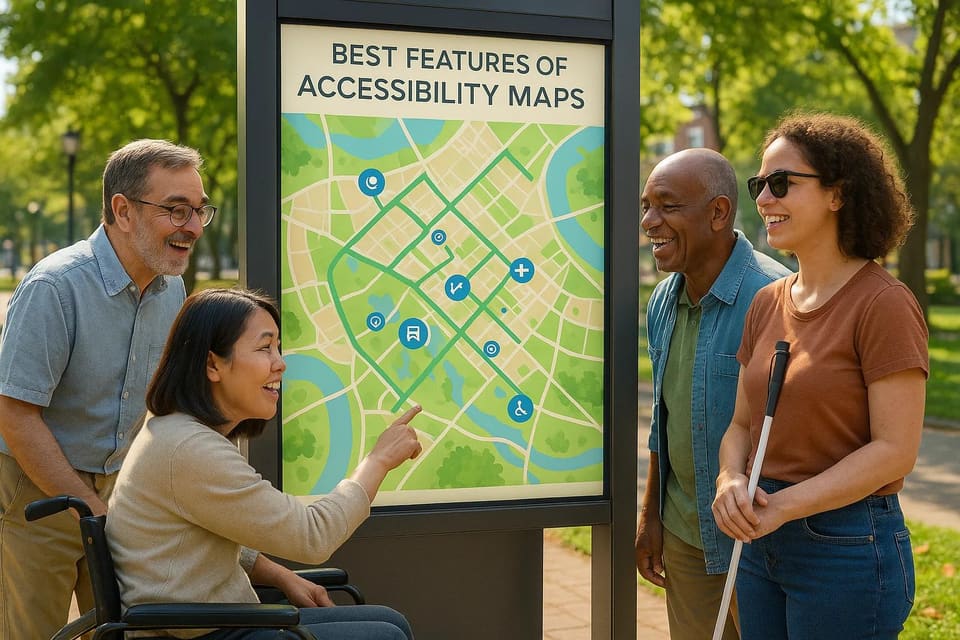
Accessibility maps are changing the way people navigate cities, especially for individuals with disabilities. These tools provide detailed information about wheelchair-friendly routes, accessible restrooms, and real-time updates on barriers like construction or elevator outages. They also offer features like audio navigation, customizable displays, and AI-powered travel planning to make navigation easier for everyone, from seniors to parents with strollers. Community contributions keep these maps accurate and reliable, ensuring they meet the needs of diverse users.
Key Features:
- Wheelchair-Accessible Routes: Highlight ramps, elevators, and smooth pathways.
- Accessible Restrooms: Locate ADA-compliant facilities with real-time availability.
- Audio Navigation: Real-time voice guidance for visually impaired users.
- Customizable Displays: Adjust text size, contrast, and icons for better visibility.
- Community Updates: User-reported issues ensure up-to-date information.
- AI-Powered Planning: Tailored routes based on individual needs and live data.
These maps aren't just for people with disabilities - they're helpful for anyone facing mobility challenges. With over 350,000 global users, platforms like Lazarillo and Google Maps are making travel more accessible and independent for millions.
1. Wheelchair-Accessible Routes and Entrances
Accessibility maps serve a crucial purpose: they pinpoint wheelchair-friendly pathways and building entrances. These maps provide details about ramps, elevators, smooth surfaces, and other features that ensure barrier-free access.
User Inclusivity
Modern maps cater to a variety of mobility needs by marking accessible routes, entrances, ramps, and elevators. They use high-contrast colors, distinct line styles, and universal icons to make navigation straightforward and intuitive for all users.
Real-Time Accuracy and Updates
With tools like voice navigation and real-time updates powered by beacons and Wi-Fi systems, these maps notify users about accessibility features, temporary closures, or construction zones. User-reported updates further enhance the accuracy of this information, making it highly reliable.
Community-Driven Contributions
Community feedback plays a key role in keeping these maps up to date. Users can report issues like blocked entrances or out-of-service elevators, ensuring the maps reflect actual, on-the-ground conditions.
2. Accessible Restrooms and Facilities
Accessible restrooms play a key role in ensuring independence for individuals with disabilities. With 12.8% of the U.S. population living with disabilities, maps that highlight ADA-compliant facilities provide a crucial tool for navigating public spaces independently and confidently. These features underscore the commitment to making navigation tools practical and inclusive.
User Inclusivity
Just as wheelchair-friendly routes are essential, clearly marked facilities enhance the map's focus on accessibility for everyone. These maps use universal symbols and clear labels to identify ADA-compliant restrooms, family facilities, and gender-neutral options. To support users with visual impairments, they often include high-contrast colors and compatibility with screen readers. These detailed markers benefit a wide range of users - people with disabilities, seniors, parents with young children, and even those dealing with temporary mobility challenges.
Real-Time Accuracy and Updates
Real-time updates are a game-changer, helping users avoid unnecessary detours. Many modern accessibility maps now show live updates on facility availability and maintenance status. For example, in 2023, Lazarillo collaborated with major shopping centers across the U.S. to introduce digital maps with real-time voice navigation to accessible restrooms and elevators. This initiative not only helped over 100,000 users feel more autonomous but also led to a 25% increase in positive visitor feedback.
Ease of Use and Customization
These maps are designed with user convenience in mind, offering features like intuitive filters, adjustable text sizes, customizable contrast settings, and multiple sensory formats - including icons, audio, and tactile options. This flexibility ensures that users with diverse needs can interact with the maps effectively.
Community-Driven Contributions
Crowdsourcing plays a vital role in keeping facility information accurate and up-to-date. By allowing users to share their experiences, these maps reflect real-world conditions and adapt to changes in venues. This collaborative approach not only improves the reliability of the data but also empowers the disability community to actively shape the resources they rely on.
3. Audio Navigation and Touch Features
Expanding on the idea of accessible routes and facilities, audio and touch features take navigation to the next level. These tools transform maps into dynamic systems that make independent travel easier for individuals with visual impairments, cognitive challenges, and mobility limitations. They help remove many of the obstacles that have historically made navigating unfamiliar spaces daunting.
User Inclusivity
Audio navigation delivers spoken directions in real-time, giving people with visual impairments the confidence to explore new environments safely. For users with cognitive challenges, these audio cues provide clarity by describing surroundings, highlighting points of interest, and warning of potential obstacles. Touch features, on the other hand, are designed to complement audio navigation. They include large, easy-to-read buttons, haptic feedback, and gesture-based controls, which are particularly helpful for those with limited motor skills. These features are not just beneficial for people with disabilities - they also make navigating easier for older adults and others who prefer simpler, more intuitive interactions.
Real-Time Accuracy and Updates
These systems also integrate with real-time updates to keep users informed about changes to accessible routes or facilities. For example, users can receive notifications about elevator outages, construction zones, or temporarily closed pathways. Indoor navigation systems make use of tools like beacons, Wi-Fi, or GPS to guide users through complex spaces such as airports, malls, and university campuses, providing accurate and up-to-date information at every step.
Ease of Use and Customization
Accessibility maps are designed with flexibility in mind, offering a wide range of customization options to suit individual needs. Users can adjust settings like audio volume, language preferences, text size, and color contrast for improved visibility. Many platforms also allow filtering routes based on specific requirements, such as wheelchair access or tactile paving, and these preferences can be saved for future use. Interaction methods are equally varied - users can choose between touch gestures, voice commands, or even adjust the speed of audio instructions and the intensity of haptic feedback. These options seamlessly integrate with earlier features, creating a user-friendly experience.
In 2024, Google Maps introduced new features like a screen reader and enhanced audio navigation. These updates provide spoken directions and detailed accessibility information for businesses and public transit, making travel more inclusive. The update also included wheelchair-accessible walking paths and routes without stairs, reflecting a broader effort to make navigation easier for everyone.
Community-Driven Contributions
Community input is a key element in improving accessibility maps. Users can report barriers or suggest updates, ensuring the information remains accurate and practical. This crowdsourced data helps refine audio navigation and touch features, keeping them relevant to real-world conditions.
A study published in the _Journal of Cartography_ found that accessible maps can boost user comprehension by up to 40% compared to standard maps. This highlights the value of combining advanced technology with community insights to create tools that genuinely make a difference.
4. Customizable Display and Simple Language
Clear visuals, adjustable displays, and straightforward language make navigation easier for everyone. When users can tailor how information appears on their screens and follow instructions without confusion, getting around becomes much simpler - no matter their abilities or language skills. These features work hand-in-hand with other accessibility tools already discussed.
User Inclusivity
Customizable display options cater to a wide range of needs, especially for individuals with visual, cognitive, or mobility challenges. For instance, people with low vision can tweak font sizes, increase color contrast, and resize icons to make maps easier to read. High-contrast color schemes, which don’t rely solely on color distinctions, are especially helpful for users with color blindness.
For those with cognitive disabilities or learning differences, simplicity in language is key. Maps that avoid technical terms and use clear, concise labels help reduce mental strain, making navigation less intimidating. This approach also benefits users who are not fluent in English, creating a more welcoming experience for diverse audiences.
Ease of Use and Customization
Customization takes inclusive design a step further by giving users control over their navigation tools. Platforms like Lazarillo and MapVX specialize in maps for busy areas like malls and airports, offering features like adjustable contrast, scalable icons, and the ability to highlight key accessibility elements such as ramps, elevators, and tactile paving. With over 350,000 users globally, these tools highlight the strong demand for personalized navigation options.
For users who are blind or have limited dexterity, features like screen reader compatibility and keyboard navigation are crucial. Maps should include alt text for images and ensure that all interactive elements can be accessed without a mouse. Mobile-friendly designs further enhance usability, especially for those navigating on the go.
User profiles and saved settings simplify the experience by remembering preferences like language, contrast levels, and highlighted accessibility features. Some platforms even allow users to save custom routes or frequently visited locations, making navigation faster and more efficient.
In 2024, Google Maps introduced new accessibility features, including screen reader support, enhanced accessibility labels, and options to identify wheelchair-friendly paths and stair-free routes. These updates reflect a growing emphasis on making mapping tools universally accessible.
Community-Driven Contributions
Community feedback is essential for improving customizable displays and simple language features. Input from users helps identify what works and what doesn’t. When community members report obstacles or suggest enhancements, these insights can be incorporated into filters and simplified formats, making it easier for users to find the information most relevant to them.
5. Community Contributions and Real-Time Updates
Accessibility maps thrive on community input and real-time updates, transforming them into dynamic tools that adapt to the ever-changing needs of users. When people actively share their experiences and updates are made instantly, these maps become invaluable resources for diverse communities.
User Inclusivity
By incorporating contributions from individuals with various disabilities, accessibility maps can offer a more accurate and inclusive representation of real-world conditions. For instance:
- Mobility challenges: Users can report issues like non-accessible entrances or broken elevators.
- Visual impairments: Details such as tactile paving, well-lit pathways, or high-contrast signage can be added.
- Cognitive disabilities: Contributors can highlight areas with clear signage or identify confusing layouts.
Take the example of a wheelchair user discovering an "accessible" entrance with a steep threshold. Their report not only helps others avoid the same issue but also encourages venues to address the problem. Similarly, someone with low vision sharing information about high-contrast signage or safe pathways can benefit an entire community. These real-world insights make maps far more dependable.
The World Health Organization estimates that 15% of the global population lives with some form of disability. In the United States, this figure rose from 11.9% in 2010 to 12.8% in 2016. By drawing on these diverse user experiences, maps become more inclusive and reflective of actual conditions.
Real-Time Accuracy and Updates
Real-time updates are what turn accessibility maps into practical, everyday tools. Immediate notifications about broken elevators, construction blocking a ramp, or temporary barriers ensure users can adjust their routes without delay. This kind of accuracy saves time and prevents frustration.
These updates often rely on a combination of user submissions, venue management systems, and automated data feeds from sources like public transit systems. Together, they ensure that maps can keep up with the fast-paced demands of modern navigation.
Community-Driven Contributions
Community involvement takes real-time accuracy to the next level. Many platforms make it simple for users to submit updates, often allowing them to include photos for verification. Features like upvoting and peer reviews help highlight the most reliable information.
Some organizations are leading the way in this space. For example, in 2022, HERE Technologies launched an accessibility maps project that incorporated feedback from cross-disability coalitions. They introduced updates like real-time elevator maintenance alerts and spatial descriptions in multiple formats. These efforts significantly boosted confidence and inclusivity for disabled users navigating cities.
A key aspect of successful community-driven maps is creating feedback loops. When contributors see that their reports lead to meaningful changes - whether it’s fixing an issue or helping someone navigate - they’re more likely to stay engaged. Recognition systems and visible improvements encourage ongoing participation. As discussed earlier, consistent feedback ensures these maps continue to meet the diverse needs of their users.
6. Integration with AI-Powered Travel Planning
Bringing AI into accessibility maps takes inclusive travel to the next level by enhancing features like wheelchair-friendly routes and real-time user updates. By merging smart route optimization with accessibility data, these systems offer tailored travel experiences that suit individual needs. This builds on existing accessibility map features, delivering more personalized and adaptable solutions for travelers.
User Inclusivity
AI-powered travel tools transform static maps into dynamic, personal assistants. By analyzing user profiles, these systems provide recommendations tailored to specific mobility, visual, or cognitive needs. For instance, wheelchair users are guided away from stairs and toward routes with ramps and accessible entrances. Those with visual impairments can access detailed audio descriptions and tactile paving information, while users with cognitive disabilities receive simplified, step-by-step instructions.
A great example of this is Highlights.AI, which creates custom travel itineraries that consider accessibility needs across major U.S. cities. Its AI evaluates user preferences to recommend attractions, accommodations, and routes suited to their needs. Whether it's wheelchair-friendly paths, tactile navigation cues, or sensory-friendly dining options in cities like New York or San Francisco, the platform makes trip planning easier and more inclusive.
This level of personalization empowers users with diverse abilities, giving them the confidence to explore destinations that might have previously felt out of reach.
Real-Time Accuracy and Updates
AI integration allows accessibility maps to process live data and user reports instantly, ensuring travelers always have the most up-to-date information. If an elevator in a subway station breaks down or construction blocks a wheelchair-accessible entrance, AI can quickly reroute users and suggest alternatives. This real-time adaptability is especially crucial in dynamic environments like airports, shopping centers, and tourist hotspots where conditions change frequently.
These updates draw from various data sources, including live transit feeds, city accessibility databases, user reports, and IoT sensors like GPS and beacons. Machine learning and geospatial analytics analyze this data to provide accurate, context-aware navigation suggestions.
By quickly adjusting to real-world changes, these systems help users avoid disruptions and maintain confidence in their travel plans.
Ease of Use and Customization
AI-powered platforms simplify complex accessibility details, making them easier to understand and use. By streamlining map interfaces, using plain language, and breaking routes into smaller, manageable steps, these tools reduce the cognitive load for users with disabilities. Features like visual cues, voice commands, and audio prompts further enhance navigation, enabling users to travel more independently.
In 2016, 12.8% of the U.S. population reported having a disability, up from 11.9% in 2010. As this demographic grows, so does the need for intuitive and customizable accessibility solutions. AI integration is becoming increasingly essential to meet this demand and improve travel planning for everyone.
Community-Driven Contributions
AI thrives on community feedback to refine and improve accessibility maps. When users report barriers, suggest updates, or share positive experiences, the system processes this input and incorporates it into the dataset. By building on earlier community contributions, AI ensures that maps stay accurate and relevant.
Natural language processing helps interpret user reports, while machine learning algorithms validate and prioritize updates based on reliability and importance. For example, if multiple users flag an accessible entrance as having a steep threshold, the AI can immediately highlight this issue, suggest alternative routes, and escalate the problem for resolution.
This feedback loop keeps the system dynamic and responsive. Users see their contributions making a difference, encouraging them to participate further. The result is a constantly evolving map that adapts to the needs of its users, delivering trustworthy guidance for travelers with disabilities.
Feature Comparison Table
The table below outlines key accessibility features, highlighting their benefits, limitations, target users, and practical impact. For more detailed insights, refer to the sections above.
| Feature | Primary Benefits | Key Limitations | Best Served User Groups | Real-World Impact |
|---|---|---|---|---|
| Wheelchair-Accessible Routes & Entrances | Supports independent movement, enhances safety, and minimizes physical obstacles | Some data may be outdated or incomplete in certain areas | Wheelchair users, parents with strollers, seniors, and those with temporary injuries | Backed by extensive user feedback for reliability |
| Accessible Restrooms & Facilities | Eases travel stress, ensures comfort and dignity, and complies with ADA standards | Information might be incomplete or lack real-time updates | Individuals with mobility challenges, families with small children, seniors | Essential for confident trip planning, especially for extended outings |
| Audio Navigation & Touch Features | Assists visually impaired users, increases independence in large spaces, and offers real-time voice guidance | Requires compatible devices, may struggle in noisy settings, and can drain battery life | Visually impaired individuals, those with reading challenges, and seniors | Widely implemented with positive feedback in various real-world scenarios |
| Customizable Display & Simple Language | Enhances understanding, reduces mental effort, and adapts to different visual needs | Limited customization on some platforms and may not address every disability | Users with cognitive impairments, low vision, color blindness, and anyone seeking clearer interfaces | Aligns with WCAG guidelines, benefiting a broad audience |
| Community Contributions & Real-Time Updates | Keeps information up-to-date, fosters trust, and adapts quickly to changes | Relies on active user input and effective moderation | All users, especially locals and frequent travelers with accessibility concerns | Offers timely updates, such as notifications about elevator outages or construction detours |
| AI-Powered Travel Planning Integration | Simplifies travel, saves time, and optimizes routes based on accessibility needs | Effectiveness depends on platform quality and data accuracy | Travelers with complex accessibility requirements or first-time visitors to unfamiliar cities | Highlights.AI customizes itineraries with accessibility in mind across major U.S. cities |
Conclusion
Accessibility maps are changing the way we navigate the world, making it easier for everyone to travel independently. The six features we’ve discussed - like wheelchair-accessible routes and AI-powered travel planning - are breaking down barriers that have long limited mobility for millions of Americans.
The numbers tell a powerful story: 12.8% of Americans have disabilities, and over 350,000 people already rely on these tools. Features such as audio navigation, customizable displays, and clear labeling don’t just help people with disabilities - they’re useful for seniors, parents with strollers, and many others. In fact, these tools can improve understanding by up to 40% for all users.
Real-time updates driven by user input keep these maps accurate and responsive. This collaboration transforms them into living tools that adapt to changing environments. And with AI integration, platforms like Highlights.AI are taking accessible travel to the next level. By incorporating accessibility data, they make planning an accessible trip as seamless as booking any other journey, opening doors to new experiences and greater independence.
The continued success of accessibility maps depends on community involvement. Whether it’s reporting a missing ramp, improving audio navigation, or simply exploring these tools to understand accessibility in your area, every action matters. Each feature - wheelchair-friendly routes, accessible facilities, audio guidance, customizable displays, community updates, and AI integration - works toward one shared goal: making travel accessible for everyone. By supporting these tools, we’re not just advancing technology - we’re creating a world where equal access is the norm.
Frequently asked questions
How do accessibility maps provide accurate and reliable information for people with disabilities?
Accessibility maps maintain precision and dependability by leveraging real-time data and incorporating user feedback. These tools often include live updates on route conditions, such as construction zones or closures, while offering detailed insights into accessibility features like wheelchair ramps, elevators, and accessible restrooms. Many platforms also embrace community input, allowing users to report changes or flag issues. This collaborative effort helps keep the information up-to-date, enabling individuals with disabilities to navigate their environments more confidently and comfortably.
How does community input improve accessibility maps?
Community input is essential for keeping accessibility maps accurate and useful. When users share details about wheelchair-accessible routes, entrances, or obstacles, they provide real-world updates that automated tools often overlook. These shared insights make navigation more reliable and inclusive for everyone. By contributing, individuals help ensure that people with varying accessibility needs can move through spaces with greater ease and confidence.
How do AI-powered accessibility maps support users with disabilities?
AI-powered accessibility maps are reshaping how individuals with varying needs navigate their surroundings. These tools provide features such as wheelchair-accessible routes, audio-guided navigation, and step-free directions, helping people with mobility or sensory challenges move through spaces more comfortably. What sets these maps apart is their ability to deliver real-time updates, like alerts about construction zones or out-of-service elevators, allowing users to adjust their plans on the go. With AI at the core, these maps can even recommend routes tailored to specific accessibility needs, making travel not just easier but also safer and more efficient for everyone.